
Cat Battles Game Modes: Classic, 2 Teams, and 4 Teams
Compare the three Cat Battles modes with a quick reference and a practical note-taking checklist for your first sessions.
FAQ
Which Cat Battles modes does the official page list?
Is Classic definitely a solo mode?
How are teams assigned?
What are the scoring and round rules?
Do the modes have different rewards?
Which Cat Battles modes are officially advertised?
The official Cat Battles Roblox description names three modes: Classic, 2 Teams, and 4 Teams. Those names were checked on October 12, 2026. Use the labels below as a starting point for comparing your first sessions.
| Mode name | First-session focus |
|---|---|
| Classic | Note the visible team state, win message, and reward wording. |
| 2 Teams | Note the visible team labels, win message, and reward wording. |
| 4 Teams | Note the visible team labels, win message, and reward wording. |
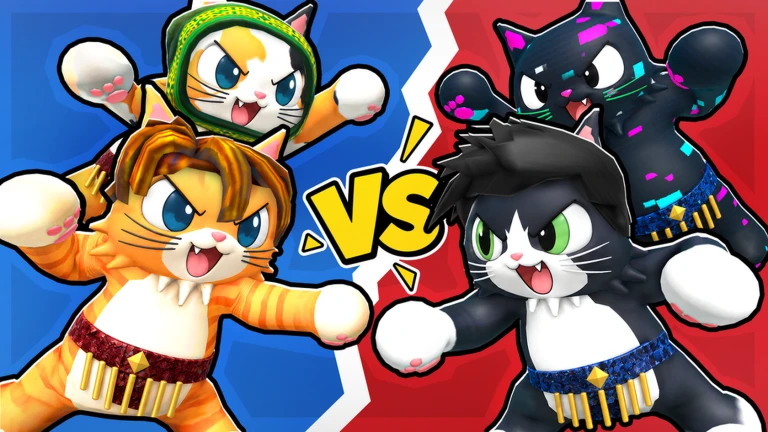
Four cats face off in promotional VS artwork.
How can you compare modes responsibly?
Use the same checklist in each mode you enter: record the mode label, visible team state, win message, reward wording, and date. Exact interface text makes later comparisons easier.
| Mode label | First-pass notes to capture |
|---|---|
| Classic | The visible team state, win message, and any reward wording. |
| 2 Teams | The visible team state, win message, and any reward wording. |
| 4 Teams | The visible team state, win message, and any reward wording. |
Leave a field blank when no value appears; this keeps comparisons consistent across sessions.
Use the group scene as a visual cue for a crowded encounter while you log the mode label shown by the interface.

Several cats lift an opponent in the elevator arena.
What practical habits apply before mode rules are known?
Learn the five official PC inputs from the controls guide before comparing modes. During a first match, watch your position relative to the ring and write down what you can see.
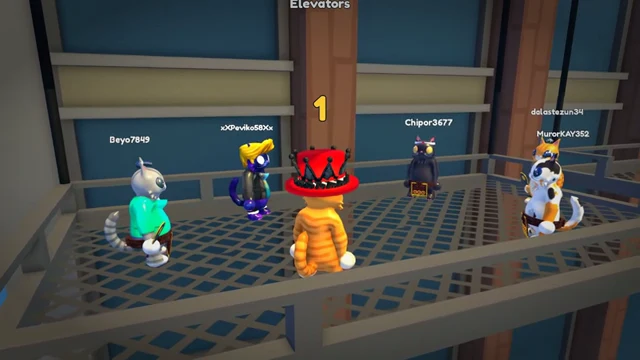
Cats wait on the metal elevator platform during the pre-bout countdown.
Media credit: Cute Malt Games, official Roblox preview asset 83504175164665,
via the official Cat Battles page.
The beginner guide gives a first-session route, while the abilities guide provides a worksheet for ability observations. If you are checking whether a mode changes cosmetic progression, compare the official reward wording with the furs and crates guide rather than assuming that a team label changes crate odds.
What should you save after a mode session?
Save the exact mode label, visible team state, win message, reward wording, and date. The beginner guide covers the first-bout routine, and the abilities guide helps label ability observations within each mode.
Related Articles
guides
Cat Battles Abilities: Ability List and Q Control
See all eight Cat Battles ability names, learn the official Q control, and use a practical worksheet to record what happens in a bout.
guides
Cat Battles Beginner Guide: Your First Bout
A practical Cat Battles first-bout guide covering PC inputs, ring awareness, coins, crates, and the three advertised game modes.
guides
Cat Battles Controls Guide: PC Keyboard and Mouse Bindings
Learn the current official Cat Battles PC controls with a quick reference for Punch, Grab, Kick, Lift, and the Q ability input.
Was this helpful?
Thanks for the feedback!